



Do you sometimes think that your e-bike could offer so much more? That burst of power you experience is frequently only a fraction of your e-bike’s full potential. For riders in areas with no clampdown on e-bike throttle legislation, unlocking that full potential can become a journey. You want more speed for fun and excitement, to keep up with the traffic flow, or just to experience how powerful your machine really is. This guide is the key to turning that performance around. We'll consider all kinds of ways to improve e-bike speed, ranging from simple software fixes you can make in just a few minutes, to completely hardware-based options that will require opening the device up for the most dedicated tinkerer.
This is about those kinds of practical tips we could all use out on the road, things that make your ride more enjoyable and efficient. We’ll demystify the approaches, just enough so you understand the “why’s,” and can ride with confidence that yes, your e-bike can go faster.
First, Get to Know the Limitations of Your E-Bike
You can’t break the rules until you know them. The majority of e-bikes have a pre-programmed speed limit. These barriers are not physical as such, but software-based speed governors programmed into the e-bike’s controller – the bike’s ‘brain’. Manufacturers include these for a few reasons: Your e-bike may have been electronically limited to 20 mph, while the more powerful motor could easily go faster.
- Component Longevity: Limiting speed and reducing power output alleviates stress on the motor, battery, and controller which extends these components' longevity.
- Battery Range: Force and speed have an exponential relationship with power, meaning the faster you go the much more power is required which reduces your overall range per charge. The manufacturers limit the speed to sell a better maximum range.
The good news is that in many cases, such software limits can be tweaked or bypassed to give you the performance you're really after.
SOFTWARE SOLUTIONS! The EASIEST Way To UNLOCK SPEED!
The path to a faster e-bike for most riders starts with software. This process is typically free, does not require any special tools, and can be done right in your own garage. A quick YouTube search will lead you to many tutorials based on specific models, but they tend to be of two varieties.
Method 1: How you can unlock your e-bike’s speed limit through the display of your e-bike
A lot of e-bikes have secret service menus in their display units. The thing is, opening them gives you access to change some of the serial data (including top speed limit). It can seem mysterious, but it often adheres to a familiar pattern. The following is a typical 7-step method that most models will allow to happen.
- Step 1: Power on your e-Bike. Turn on the display of your e-bike, and make sure you are on the main home screen.
- Step 2: Go to Settings. The hidden step that is so often taken for granted. There's usually a specific set of buttons that you have to hold down all at once. Often you will have to simultaneously press and hold the “Up arrow” and the “Down arrow” for a couple of seconds.
- Step 3: Enter The Speed Limit Setting Menu. When you are in the setting menu, or what’s called "P-Setting", use your navigation buttons and find your way to this function. Seek a feature that says “Speed Limit,” “Top Speed” or a code such as “P08.”
- Step 4: Up the speed limit value. Choose the speed limit option. Press the “Up” button to add to the figure on up to maximum. This can be 40, 50, 75, or even 99 depending on the firmware of your controller.
- Step 5: Verify New Setting. Press your "Set," "Mode" or "Power" button once to confirm the new higher value.
- Step 6: Mindfully Exit the Menus. This is also important. Do not turn the bike off. You need to back out of the menu correctly in order for the setting to be saved. Hit "back" one time to escape the speed limit setting and once more to exit the normal setup menu. On a few devices, the sequence actually confirms the unlock and the screen may briefly display a message to that effect.
- Step 7: Go Back to the Home Screen and Test. After you return back to your main display, your e-bike should now be unlocked. For an experience as palpable as the instantaneous throttle reaction, give it a careful push.
Another Method to the above one: Unlocking Using a Smartphone
Increasingly with newer e-bikes, Bluetooth has become the way to connect or pair your e-bike to a phone and app allowing you to custom set ride modes, tweak settings and check data. This can be an even simpler way to unlock your speed.
- Download the official app or a third-party one that is compatible (such as "Orbital Sports" for some brands) from your phone's app store.
- Sign up and turn on your e-bike.
- Scan for your e-bike and connect to it via Bluetooth with the app.
- Once connected, navigate to the settings within the app. What you want to look for is an option including the bike’s “Class” (like “Class 2”) or a function that refers to the speed setting.
- Upgrade to a more powerful class (e.g. "Unlock Class 3") or a less restricted mode.
- The app should have some kind of verification screen, and then send the new settings to your bike's controller.
Unbeatable Option for Power and Freedom: ENGWE E-Bikes
If you're in the market for an electric bike that brings you off-the-shelf power with room to grow, ENGWE sits at the front of the field. They make bikes built for riders who want more performance and capability. If you want an off-road monster and a ready-for-anything beast, I recommend the ENGWE EP-2 Boost. It’s built with a sensitive torque sensor, providing you a gentle and yet natural power for your ride. When a hill suddenly appears before you a hundred meters long, within a second of pressing your thumb on the button, the Boost Mode is activated and provides 55Nm of torque to make light work of your ascent. Its massive 20x4.0 fat tires and a 1-piece direct connect riser, for stiffer handlebars, offer more control and maneuverability over curbs and rough terrain. ENGWE EP-2 Boost, with a huge 120km range and neat folding frame for storage or transport, the EP-2 Boost is more than just an e-bike - it's a statement of independence.
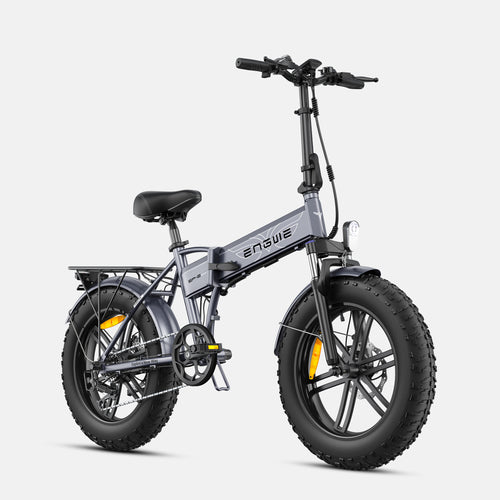
Key Specifications:
- Motor: 250W Brushless motor
- Max Torque: 55Nm with Boost Mode
- Battery: 48V 13Ah Removable Lithium-Ion Battery
- Max Distance: 120 km (PAS 1)
- Brakes: 180mm Mechanical Disc Brake
- Tires: 20" x 4.0" All-Terrain Fat Tires
- Drive Train: Shimano 7-Speed
- Sensor: Torque Sensor
- Wheels: Tough One-Piece Construction
- Max Load: 150KG (330lbs)
- Functions: Foldable, Front suspension, LCD Display
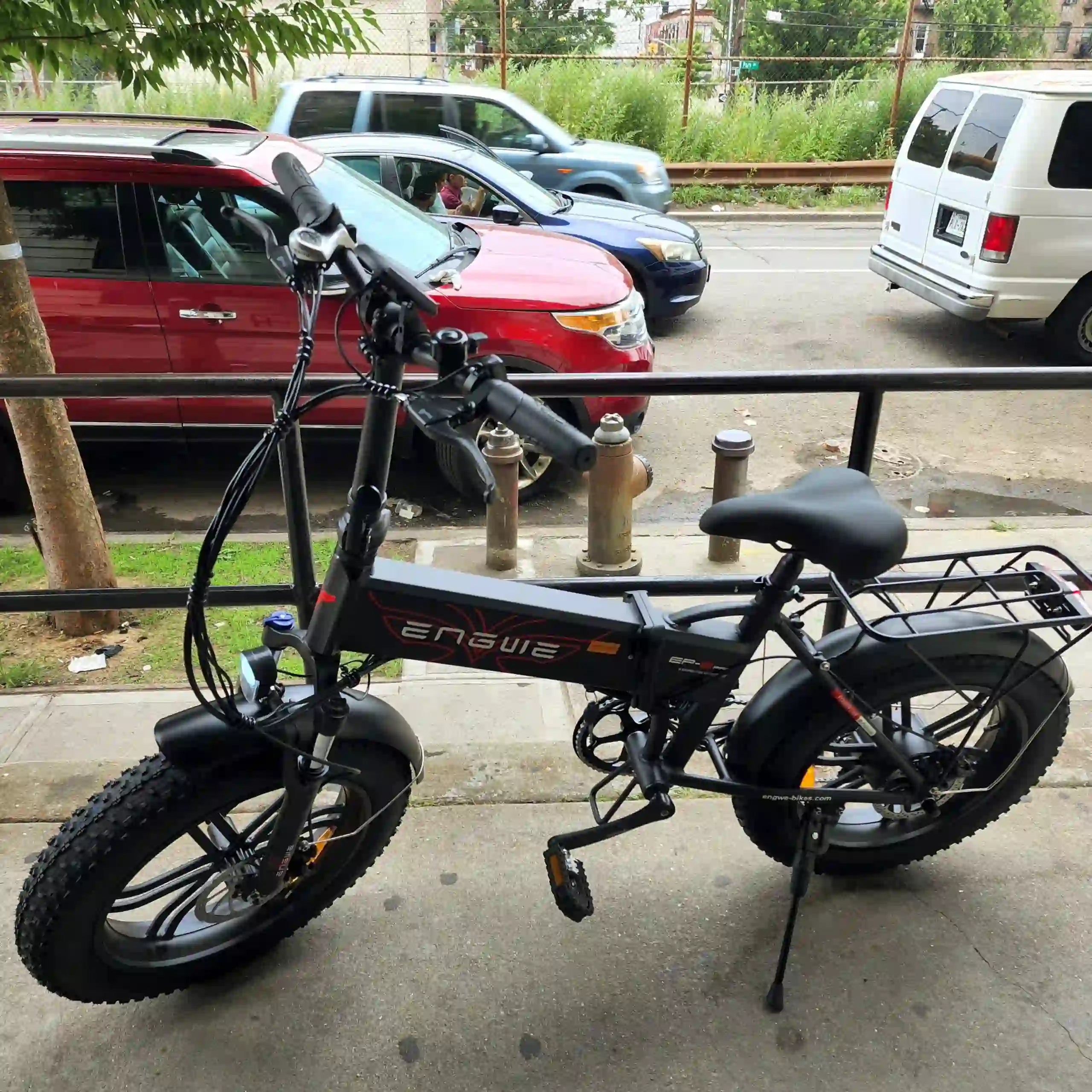
Hardware Upgrade Options: For the Die-Hard Performance Enthusiast
If a free software solution is out of reach or not to your liking, you can always consider hardware-based solutions. These are more expensive and require a bit more technical ability, but performance can improve significantly here.
Method 3: Upgrade Your Battery
- Concept: Voltage is the "pressure" that moves power to your motor. So if you raise the voltage (say moving up from a 48V to a 52V battery) then it will spin faster and have a higher top speed.
-
Steps:
- Verify that your motor and controller are capable of the higher voltage. This is to prevent damage.
- Buy a new battery and charger that uses the same connector or be ready to swap it out.
- Take the old battery out and put the replacement in.
- Tools: Standard hand tools. Use a multimeter to check voltages.
Method 4: Replace the Controller
- Concept: The brain, and the one that forces the speed limit, is the controller. An aftermarket “unlocked” controller could eliminate all the software chicanery and in many cases can handle more power than the stock unit.
-
Steps:
- Get a compatible controller for the voltage of your battery and the wattage and type (brushless hub motor, etc.) of your motor.
- Take all the wires out of the old controller (throttle, brake sensors, motor, battery, display), disconnecting and tagging each one before doing so.
- Hook up the new controller, getting the wires matched properly.
- Mount the new controller to the bicycle frame.
- Tools: Screwdrivers, hex keys, wire cutters/strippers, and connectors.
Method 5: Upgrade to a Higher Output Motor
- Concept: The simplest way to gain more power and speed. By upgrading from a small 250W motor to a 750W or 1000W, you’ll notice a significant difference in acceleration and top-end potential.
-
Steps:
- This is an advanced upgrade. The new motor has to fit your bike wheel and frame.
- This will almost definitely mean you will have to upgrade your controller and battery as well in order for them to be able to keep pace with the motor.
- This procedure calls for the old motor to be unlaced from the wheel rim, and then lacing in a new assembly, or better yet, purchasing an entirely new wheel with the replacement motor already installed.
- Tools: An assortment of bike tools, including a spoke wrench and tire levers.
Problem Summary and Solution Overview
| Type | Level of Difficulty | Average Price | What You Need To Use It | Best For |
|---|---|---|---|---|
| Display Unlock | Easy | Free | None | The easiest and quickest way. Look on YouTube for which buttons to push, specific to your model. |
| App Unlock | Low | Free | Smartphone | Only possible with Bluetooth-enabled e-bikes. Very user-friendly. |
| Battery Upgrade | Medium | Moderate | Basic tools, multimeter | Must make sure your controller and motor are compatible or you will fry them. |
| Controller Upgrading | Difficult | Moderate | Wire cutters, connectors, hex keys | The “brain transplant.” Bypasses the software hurdle but has somewhat complicated wiring. |
| Motor Upgrade | Very Hard | High | Full bike toolkit. | The ultimate power mod, but often needs a full system (battery, controller) rebuild. |

One Last Thing Regarding Safety and Self-Responsibility
Unleashing your e-bike’s speed also means unleashing new levels of risk. Faster speeds demand shorter braking distances and better reflexes. Always prioritize safety. Think about upgrading to hydraulic discs if you have mechanical ones and always wear a certified helmet. Know that making changes to your e-bike might nullify its warranty and get you in legal trouble depending on where you live. Respect others on the road or trail.
Frequently Asked Questions
1. Does unlocking my e-bike cancel the warranty?
Almost certainly, yes. Most manufacturers are likely to disavow any warranty of the electrical components if you touch that speed limiter in some way.
2. Does my battery drain quicker if I unlock the e-bike?
Yes, absolutely. Faster speeds take a lot more power draw. Anticipate a lowered maximum range per charge if you often ride on max boost.
3. Is it OK to build an electric bike that’s faster?
It increases the risk. Your bike’s frame and brakes were built for the original top end. If you find yourself going faster, your safety equipment better be on par—especially your helmet and brakes.
4. Where does the e-bike speed limitation come from and what is the easiest and cheapest way to go faster?
The method that is easiest and cheapest along these lines is an unlock by software using your e-bike’s onboard display. No parts, no special tools; you can usually do the job in less than five minutes.
5. Do I need to be a mechanic to make these updates?
No technical knowledge is necessary for software unlocks. For hardware revisions like switching out a controller or motor, you’ll need to know your way around some level 101 electronics and be at ease with bicycle mechanics.
Now, get out there and unlock the full potential of your e-bike, and ride on.


